FreeCell strategy: make room before you make a move
An empty cell looks like an easy answer to a blocked card. Use all four that way, though, and a promising deal can turn into a parking problem. Before moving a card out of your way, decide how you will get it back into play.
Play FreeCell →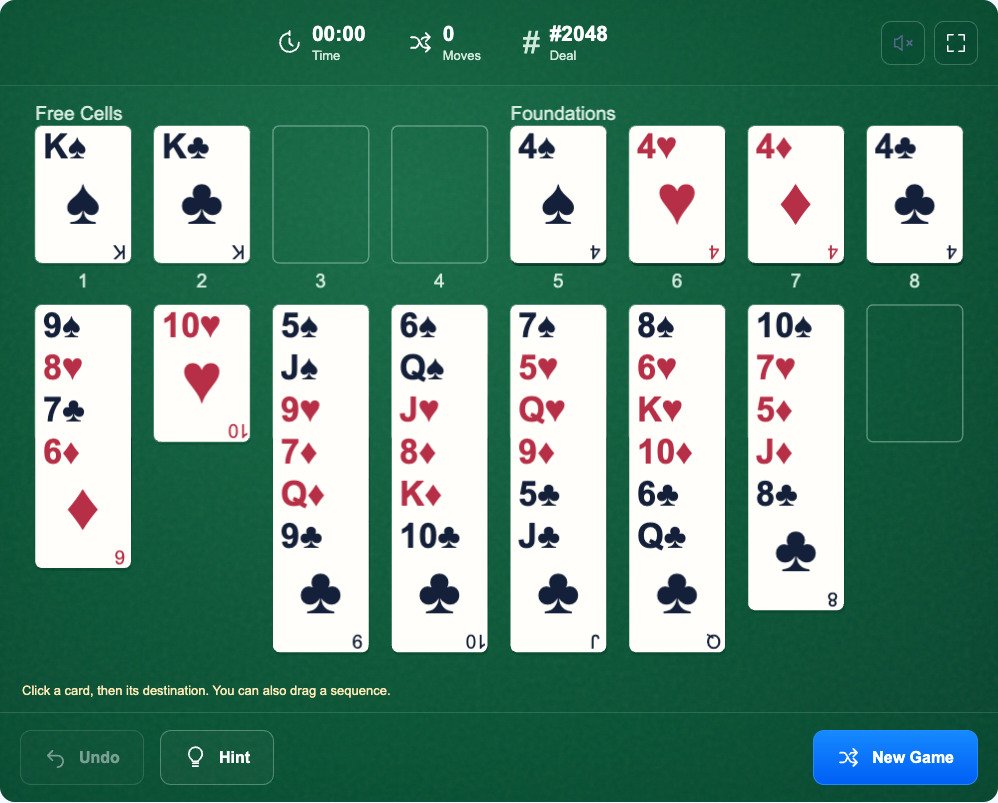
Read the whole deal before chasing an Ace
All 52 cards are face up, so take a moment to trace what is covering each Ace and 2. Look at the exposed cards at the bottom of the eight columns as well: those are your immediate options.
An Ace near the bottom is convenient, but its position alone does not tell you how hard the deal is. A useful opening may expose a low card, empty a short column or give a card in a free cell somewhere to go. Pick a concrete goal before starting.
Build down in alternating colors
On the tableau, place a red card on a black card one rank higher, or a black card on a red card one rank higher. A black 9 can go on a red 10. Suits do not have to match here.
The foundations follow a different rule: build each suit upward from Ace to King. Completing all four foundations wins the game. A long tableau column is useful only if it leaves you enough space to move the part you need.
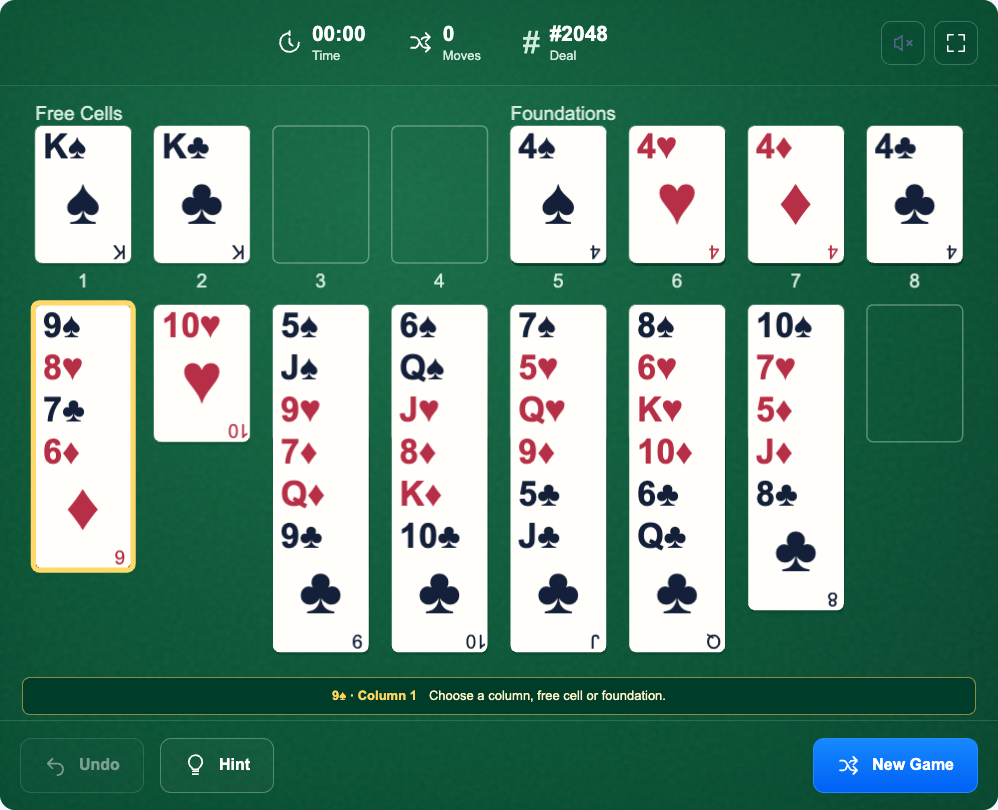
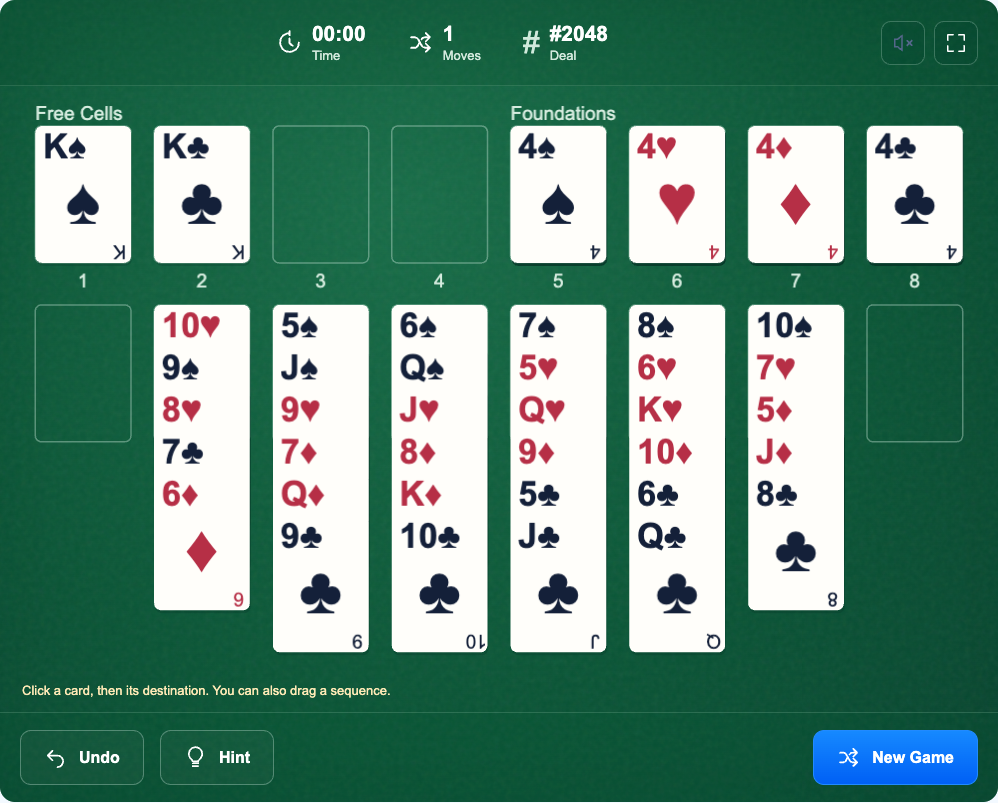
In the example, 9♠–8♥–7♣–6♦ is a valid four-card sequence. Select the 9 to move the whole run; selecting the 6 moves only that card. You can drag a sequence or select it and then select its destination.
Treat free cells as temporary working space
Each free cell holds one card. Before putting a card there, look for a way to release it: a suitable tableau card, an empty column or a foundation move. “I will find somewhere later” becomes expensive when all four cells fill up.
There is no rule that you must never occupy more than two cells. Using a third can be worthwhile if the next move opens a column. What matters is the position you reach, not the number of occupied cells on one intermediate move.
Try the tableau first when uncovering an Ace. If the card blocking it already fits on another column, keep the free cell available for a move with no other destination.
Count your space before moving a sequence
This game limits a sequence move by the space available to carry it out. With no empty auxiliary columns, two empty free cells let you move at most three cards. Each empty auxiliary column doubles that capacity.
In the illustrated position, two empty cells and the empty eighth column allow up to six cards to move onto an occupied column: (2 + 1) × 2 = 6. That is why the four-card run can move onto the red 10.
Moving onto the empty eighth column is different. That column is now the destination, so it cannot also serve as spare workspace. The limit would be three cards, and the four-card move would be rejected.
Splitting a longer run can help only when every intermediate move is legal and enough workspace remains. If a move fails, free a cell or an auxiliary column instead of assuming smaller drags will bypass the limit.
Use empty columns and foundations with a purpose
An empty column can receive any card, not just a King. It can also receive a valid sequence within the movement limit. Avoid filling your only empty column merely because a King is inconvenient elsewhere.
The game automatically sends suitable exposed cards to the foundations after a legal move, using a conservative safety check. This can uncover another card without a separate click.
For manual foundation moves, remember that a low card may still be a useful landing place for the opposite color. If a move removes something you needed, Undo restores the preceding position, including automatic foundation moves made with that turn.
When stuck, review the last useful choice
Use Hint to highlight a suggested legal move and its destination. It is a way to spot an option you missed, not a promise that the move leads to a win. A full row of free cells also does not, by itself, mean the deal is over.
Undo is most useful when you can say what you want to change. Go back to the move that used your last cell or filled your only empty column, then try a different destination. Repeating the same transfers in another order rarely fixes the underlying blockage.
Before your next move, ask: what will this expose, where will the displaced card go, and how much space will remain? Those three questions are more useful than moving every card that happens to fit.