24 pieces
A gentle starting point, with larger pieces for a quick break or a comfortable game on your phone.
A little piece of a brighter day.
Play free jigsaw puzzles in your browser. Put together a beautiful picture of animals, landscapes or cities with 24, 48 or 100 pieces. Preview, edge filters and hints help you find each fit. Save your progress for later. No download or account needed.
Keyboard: select a tray or board piece with Enter. Use arrows between board positions, then Enter to place or swap. Use Return piece to send the selection to the tray. Escape cancels.
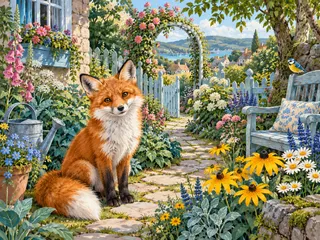
A 24-piece puzzle is ready when you arrive. Choose another image or piece count whenever you want.
Drag a piece from the tray onto the board, or select it and then tap or click its position. Match colors, textures and lines.
Drop into any position to try an arrangement. Drag a board piece to another position to move or swap it, or return it to the tray.
Place every piece to finish. Preview, Edges Only and Hint are there whenever you need a little help.
A gentle starting point, with larger pieces for a quick break or a comfortable game on your phone.
A little more to discover. A balanced choice for a relaxed session with more details to compare.
Take the scenic route. Smaller picture sections make a longer challenge; Zoom and Move help on a small screen.
Yes, it is free. Play directly in your browser without registering or installing an app.
Your current puzzle saves automatically when browser storage is available. Return in the same browser to continue. Starting another puzzle replaces this save after confirmation.
Saves stay in this browser on this device and do not sync automatically. Clearing site data or using private browsing may remove your progress. Switching the site language keeps the same puzzle.
Every picture is available with 24, 48 or 100 pieces. All options are available immediately. Changing the count starts the picture again.
No. Pieces already face the correct direction, so you can focus on the picture and their positions.
No. The timer records play time and never ends the puzzle. It pauses when you pause the game or the page is hidden.
Select a piece, then choose Hint. Its correct position is highlighted briefly. You place the piece yourself, with no penalty.
This version uses the included original picture collection. Uploading your own photo is not currently supported.
Reveal a picture with Nonogram, fit shapes in Block Puzzle, organize colors in Water Sort, or match tiles in Mahjong Solitaire.