Jigsaw puzzle tips: build the frame, then follow the picture
A tray full of little picture fragments can look like a lot of work. Start with one recognizable thing: a straight edge, a patch of orange fur, a line that continues onto another piece. The picture becomes easier to read as those small decisions add up.
Play Jigsaw Puzzle →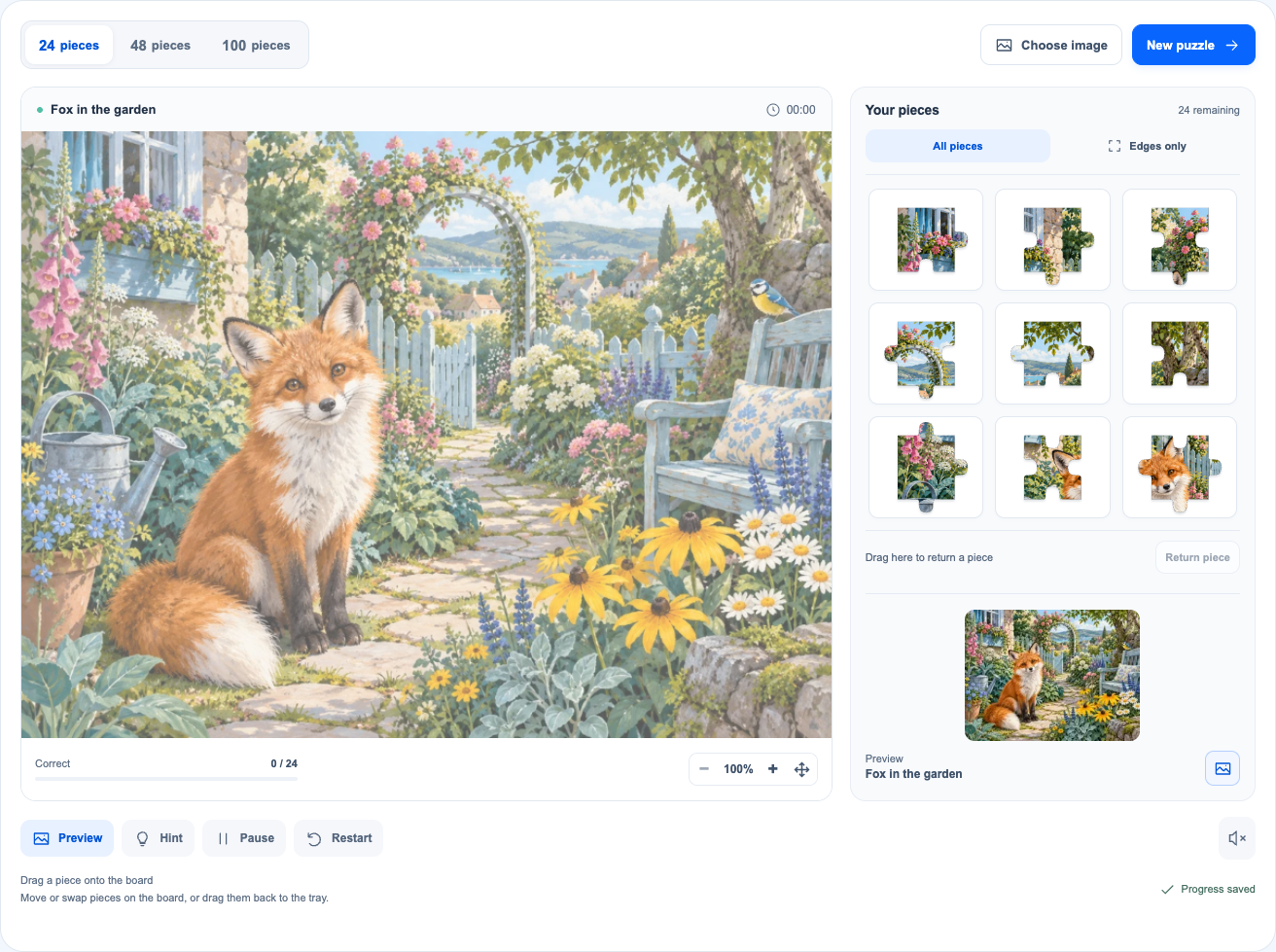
Look at the picture before sorting the pieces
Open Preview and pick out a few landmarks. Where is the main subject? Which colors sit near the top and bottom? In our fox picture, the orange animal gives you a useful place to start looking; the greenery around it needs closer comparison. Close Preview when you want to test your memory, or keep it visible while learning.
For a first round, 24 pieces makes the details easier to recognize. The same images are also available with 48 or 100 pieces. More pieces mean smaller sections of the picture, not new rules. All pieces already face the right way up, so there is no rotation to solve.
You do not need sorting boxes here. Use Edges only to separate the frame pieces, then scan the rest of the tray for color, texture and recognizable details. The filter finds straight edges; it does not sort pieces into color groups.
Start with corners, then connect the edges
A corner has two straight outer sides. Since pieces are not rotated, a flat top and flat left belong at the upper-left corner. After the corners, compare the edge pieces with the nearby colors and lines in the preview. One straight side tells you which border to investigate; it does not tell you the exact position.
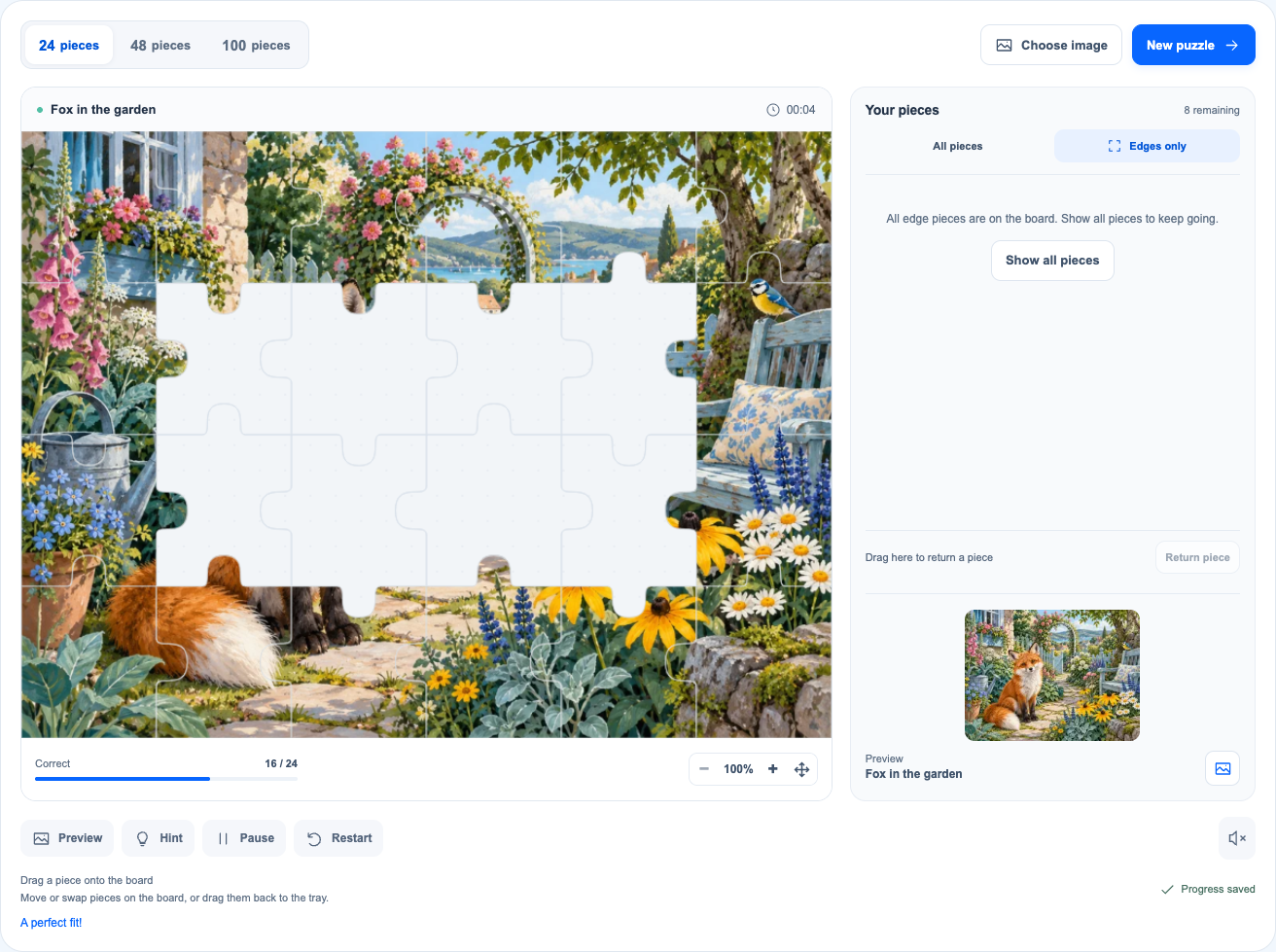
Our 24-piece puzzle has six columns and four rows. Its frame uses 16 pieces, including the four corners. The screenshot shows all 16 in their correct positions. A finished frame gives the inside pieces a useful reference for height, width and nearby detail.
If the filtered tray is empty, choose All pieces to bring back the interior pieces. An empty edge tray only means those pieces are on the board. Check the Correct counter and the picture as well: pieces can be left in the wrong positions.
Build the main subject before the plain background
Look for pieces that tell you something specific: the outline of an ear, the boundary between orange fur and green leaves, or a line passing across a seam. A distinctive detail usually narrows the search more than “this piece is green.” Compare both sides of a proposed join, not just the overall color.
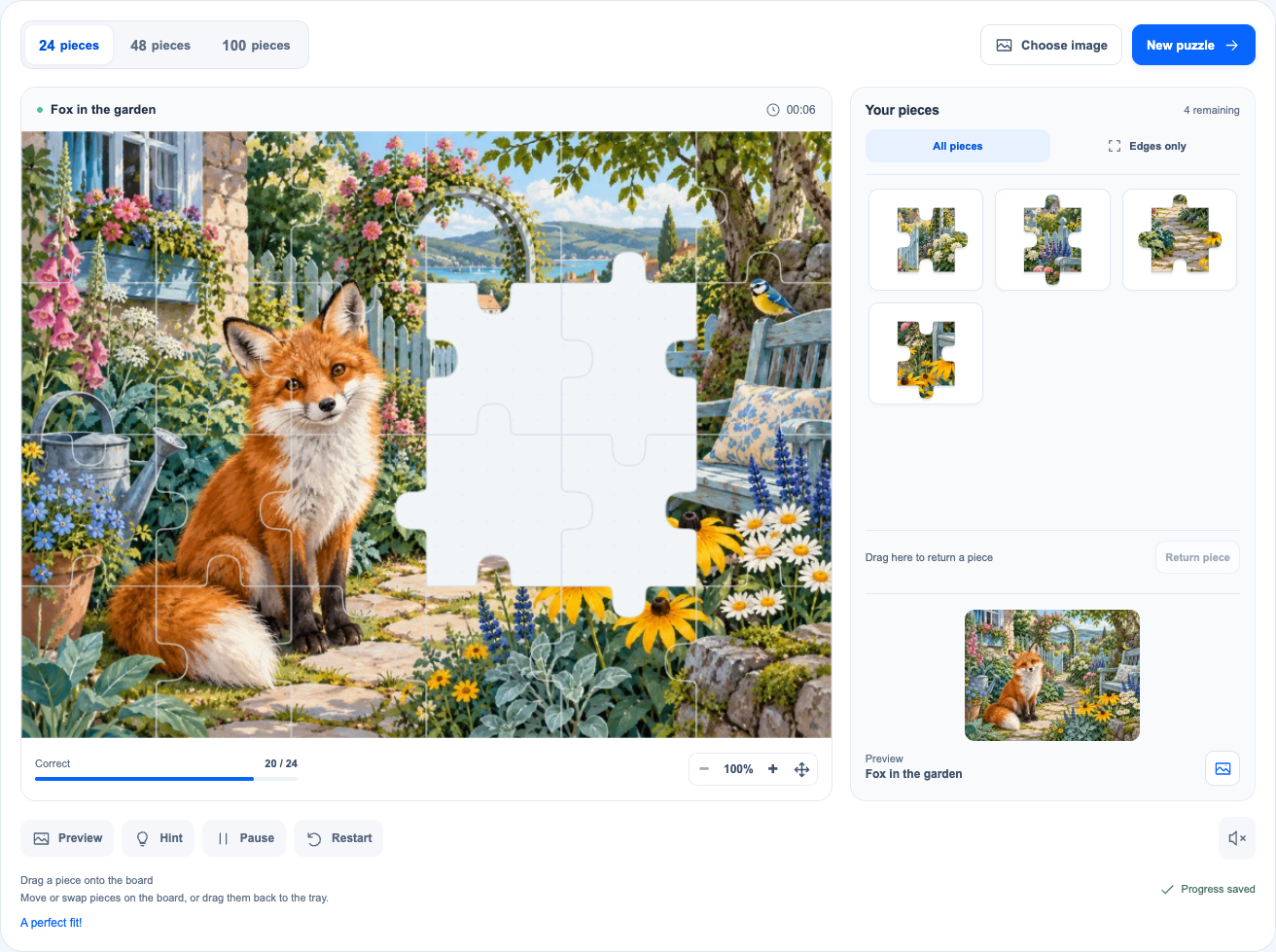
In the next screenshot, four interior pieces have been added to the frame, bringing the correct total to 20 / 24. The fox is easier to recognize, and the remaining gaps are smaller jobs. Use what is already correct to decide which way a line or color patch should continue.
For sky, foliage or other similar areas, compare texture, brightness and position together. Shape is another clue, but similar-looking tabs alone do not establish a match. You can place interior pieces before finishing the frame if a clear detail catches your eye; edges first is a useful plan, not a requirement.
A piece on the board is not necessarily in the right place
This game lets you try arrangements. A piece stays where you put it, even if the position is wrong, and remains movable until the puzzle is complete. The progress counter counts correct positions only. A full board can still need work.
To fix an arrangement, move a board piece to another cell. If that cell is occupied, the two pieces swap. A piece brought in from the tray replaces the occupant, sending the old piece back to the tray. You can also return a selected piece with Return piece, or drag it back to the tray.
When a join looks wrong, check the surrounding picture before changing several pieces at once. A single misplaced piece can break an otherwise sensible line. There are no points or lives to lose, so take time to compare the result.
Use Preview for context and Hint for one piece
Preview answers “What belongs in this part of the picture?” Hint answers a narrower question: “Where does this selected piece go?” Select a tray or board piece first, then choose Hint. Its correct position is highlighted briefly; you still place it yourself. Hints are counted, but carry no penalty.
On a small screen, zoom in before comparing tiny details and use Move board to inspect another area. Fit returns you to the full-board view. If dragging is awkward, select a piece and tap its destination instead. With a keyboard, select a piece with Enter, use the arrows between board positions and press Enter to place it. Escape cancels the selection.
Finish at your own pace
Near the end, compare each remaining piece with the details around a gap. If all spaces are occupied but the correct total is short, look for an interrupted outline or mismatched texture and try a swap. Completion means every piece is in its correct position, not simply that the tray is empty.
The timer records play time; it does not set a deadline. Pause when you want a break. Your current puzzle saves in this browser when storage is available, and changing the site language keeps the same puzzle. It does not sync to another device.
Choosing a new image, changing the piece count or restarting replaces the current attempt; an unfinished game asks for confirmation. When the last piece is correct, View picture lets you enjoy the result. There is no glue to dry and no need to rush into a harder puzzle.