To solve Rotate Rings on OnlinePuzzle, move an open ring’s gap across the silver pins that hold it, then follow any numbered dependencies before trying the next ring. A ring disappears only after every attached pin is released. The useful question is therefore “what still holds this ring?” rather than “which direction should I spin?”
Read the board before rotating
Start by identifying each ring’s number, its gap and its attached pins. A silver pin belongs to two rings, so either usable open ring can release that shared connection. Releasing a pin can help both rings at once, even when only one is being turned. Look at the connection itself, not just the overlapping colors.
- Numbered lock: free the indicated ring first. Selecting the held ring shows its dependency.
- Amber stop: rotation is restricted until the marked controlling ring is free.
- Striped slider: open the slider before turning its ring; check whether another ring must be freed first.
- Closed ring: there is no gap to aim. Work through its neighboring open rings.
Choose a move that removes a restriction
Trace a blocked ring backward to the ring named on its lock. If that ring is also restricted, continue tracing until you find an action you can perform. Repeatedly dragging a locked ring does not satisfy its prerequisite, and a large movement cannot force a gap past an active stop.
For an available ring, count the remaining pins and inspect their positions around the rim. Compare clockwise and counterclockwise travel. A useful turn may cross more than one pin, but do not assume that opening the first connection makes the ring free. After each release, check what remains and which numbered restrictions have changed.
Favor a release that makes another needed action possible. Removing an outer ring is useful when it unlocks the center; it is not an automatic rule that every outside ring must go first. On a crowded board, ring numbers and dependency lines are more reliable than choosing by color alone.
Worked example: the shared pin in Level 1
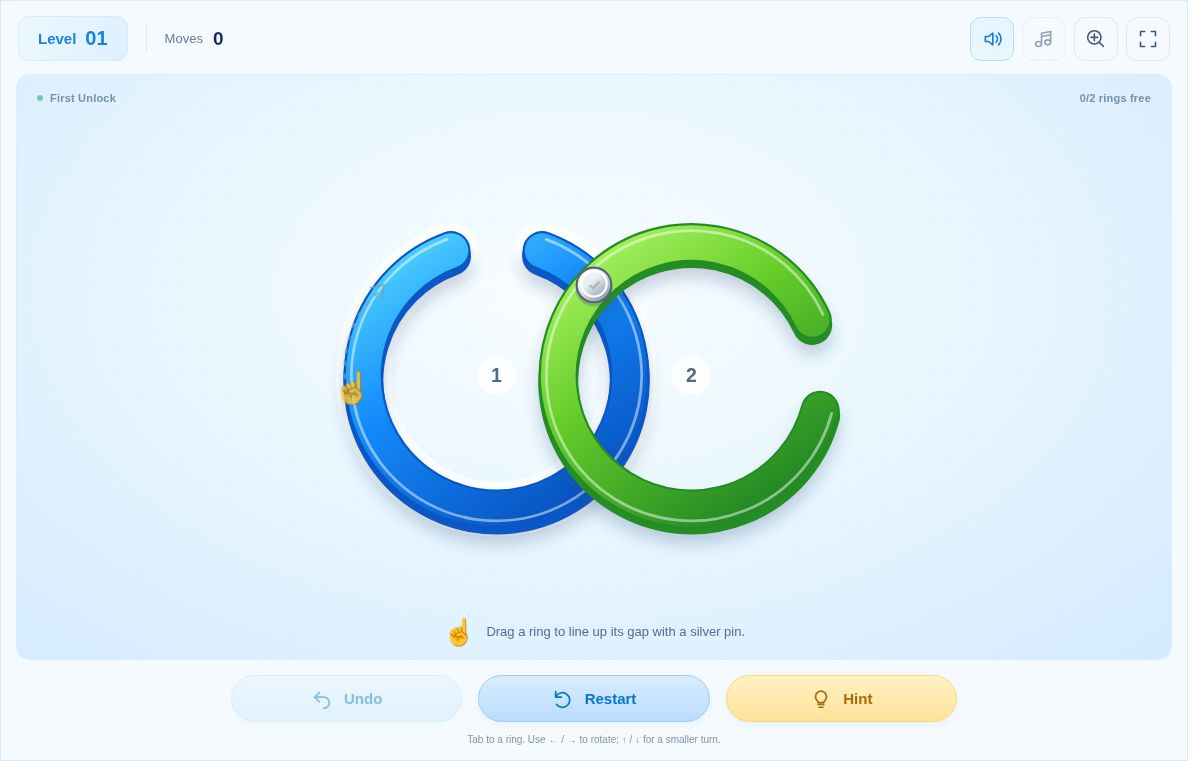
The starting screenshot shows blue ring 1 on the left and green ring 2 on the right. Their only silver pin sits at the upper intersection. Blue’s gap begins near the top, so moving it clockwise toward the pin provides a direct route to the release.
- Focus blue ring 1 with the keyboard.
- Press the Right arrow three times to rotate clockwise in increments.
- When the gap reaches the shared pin, the connection opens and both rings leave.
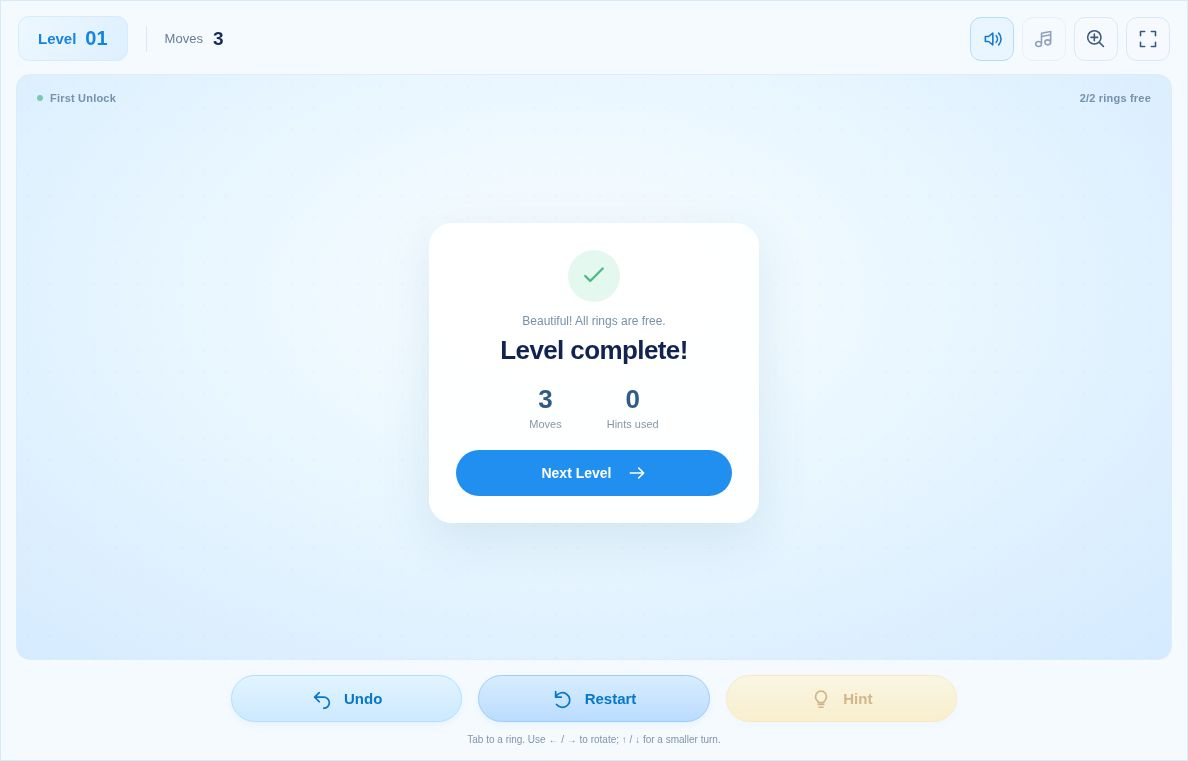
The completion screenshot records three moves and zero hints. That result describes this keyboard sequence, not the fewest moves possible. A continuous mouse or touch drag is counted differently from separate keypresses. The important deduction is that one shared pin holds both rings, so releasing it resolves both at once.
Use controls to inspect, not to rush
Drag around a ring’s center to steer its gap. With keyboard focus, Left and Right make larger turns, while Up and Down provide smaller adjustments. If a turn appears ineffective, first identify the restriction rather than increasing the speed.
Use Hint when you cannot identify the next legal action, then compare the highlighted ring or slider with the locks you can see. Undo restores the previous action, including released pins and sliders, so it is useful for understanding what a move changed. A hint is guidance from the current position, not a certificate that your total move count is optimal.
Common mistakes to avoid
- Stopping after the first click without checking for another attached pin.
- Trying to rotate a solid closed ring instead of freeing its neighbors.
- Treating a stop and a lock as the same obstacle: one limits travel, while the other prevents an action until its dependency is met.
- Comparing keyboard steps with a drag-based move count as if they were identical.
Frequently asked questions
Why does a ring stay after a pin opens?
A ring leaves only when all of its attached pins have been released. Look for another connection on its edge.
Can a closed ring be rotated free?
A closed ring has no gap. Release its shared pins by turning the neighboring open rings.
Do I need to hurry?
No. This browser version has no time limit, so you can inspect the locks and connections before moving.
Does Hint give the fewest-move solution?
Hint provides a legal next action from the current board. It is not a promise of the shortest solution.
Are these the same levels as the mobile app?
No. OnlinePuzzle has 20 original browser puzzles with its own layouts and solutions.
Open Rotate Rings, identify one shared pin and explain which rings its release will help. Then repeat that check as the board opens up.